> ## Documentation Index
> Fetch the complete documentation index at: https://elementary-devin-1782754750-bigquery-permissions-docs.mintlify.site/llms.txt
> Use this file to discover all available pages before exploring further.
# Gitlab
Elementary connects to the code repository where your dbt project code is managed, and opens PRs with configuration changes.
## Recommended: Connect using Elementary Gitlab App
Navigate to the **Account settings > Environments** and choose the environment to which you would like to connect the dbt project code repository.
Simply Click the blue button that says "Connect with Elementary Gitlab App" and follow the instructions.
In the menu that opens up later on, select the repository where your dbt project is stored, and if needed the branch and path to the dbt project.
Requires a user with permissions to install new applications in the repository
### Alternative: Create a Gitlab project token
If connecting the Elementary Gitlab App isn't an option, you can connect using a token managed by your team instead.
You need to create a [project access token](https://docs.gitlab.com/ee/user/project/settings/project_access_tokens.html) (token for a specific repository) with by following these steps:
1. On the left sidebar, at the top, select **Search GitLab** to find the dbt project repo.
2. Select **Settings > Access Tokens**.
3. Enter a name and expiry date for the token (default is 1 year).
4. Select the role **Maintainer** for the token.
5. Select the following scopes: `api`, `read_api`, `read_repository`, `write_repository`.
6. Select **Create project access token**.
## Repository connection settings
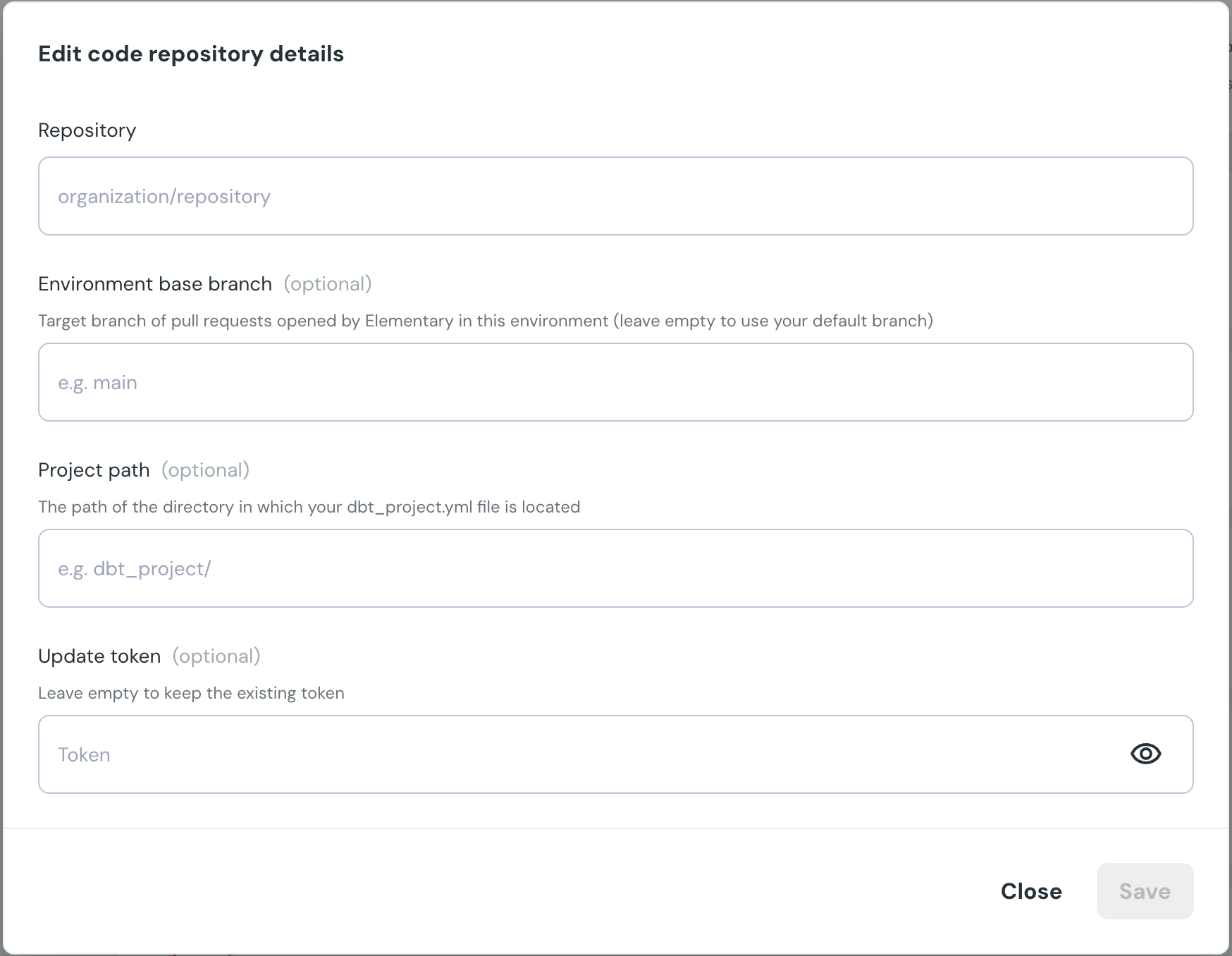
After the authentication, you need to fill in the following details:
* **Repository** - The full name of the code repo.
* *Optional* **Environment base branch** - If you want Elementary to open PRs in a target branch different than default, detail the branch name here.
* *Optional* **Project path** - If your dbt project isn't on the root directory of the repo, detail it's path here.
* *Optional* **Update token** - When the github token expires, regenerate a fine-grained token and paste it here.
 ## Project repository settings
Repository settings are configurable per project. You can set **labels**, **commit message prefix**, **branch prefix**, and **ticket ID requirements** for pull requests Elementary opens.
When **required ticket ID** is enabled, every pull request Elementary opens must include a ticket ID. The ticket ID is prepended to the branch name and the pull request title.
## Project repository settings
Repository settings are configurable per project. You can set **labels**, **commit message prefix**, **branch prefix**, and **ticket ID requirements** for pull requests Elementary opens.
When **required ticket ID** is enabled, every pull request Elementary opens must include a ticket ID. The ticket ID is prepended to the branch name and the pull request title.